Accidentally building a dual-screen cyberdeck using the Edge2
Cyberdecks are arguably one of the coolest implementations of personal computing, offering the ability to customize the physical characteristics of one's personal computer to their liking.
Recently when I was tinkering with the Edge2, I had a curious moment when going through the schematics of the Edge2 and was looking at the pin layout of the MIPI-DSI connectors. The Edge2's second DSI port (DSI-1) had the same pin layout as the VIM3's DSI port, This gave me the idea to try to run a secondary display off the DSI-1 port and eventually led to the creation of the idea of building this cyberdeck.
The Edge2's DSI port setup
The Edge2 (opens in a new tab) basically has 2 independent MIPI-DSI port, one is exposed via a 40 pin connector, and another via a 30 pin connector.
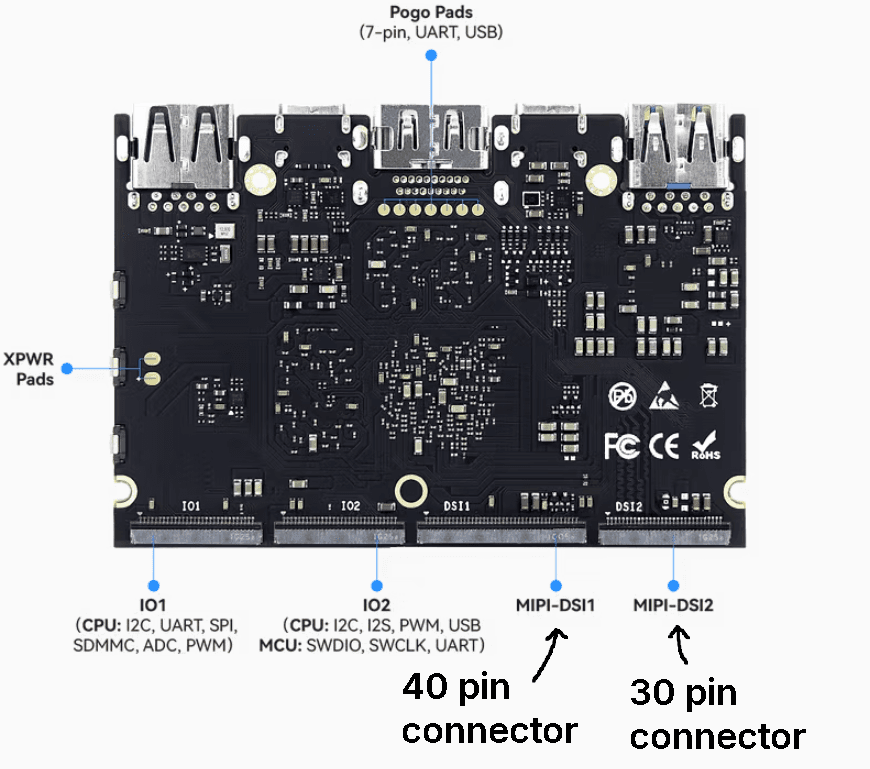
The 40 pin connector has additional pins for the I2C touch panel interface, whereas the 30 pin connector only has the MIPI-DSI lanes along with an I2C interface for the display controller
Now, Khadas offers the TS050 (opens in a new tab), a 5-inch, 1080p IPS display as an accessory for the Edge2 and it comes with two different FFC cables, one has 40 pins (compatible with Edge2 / VIM4) and the other has 30 + 10 pins (compatible with VIM3).
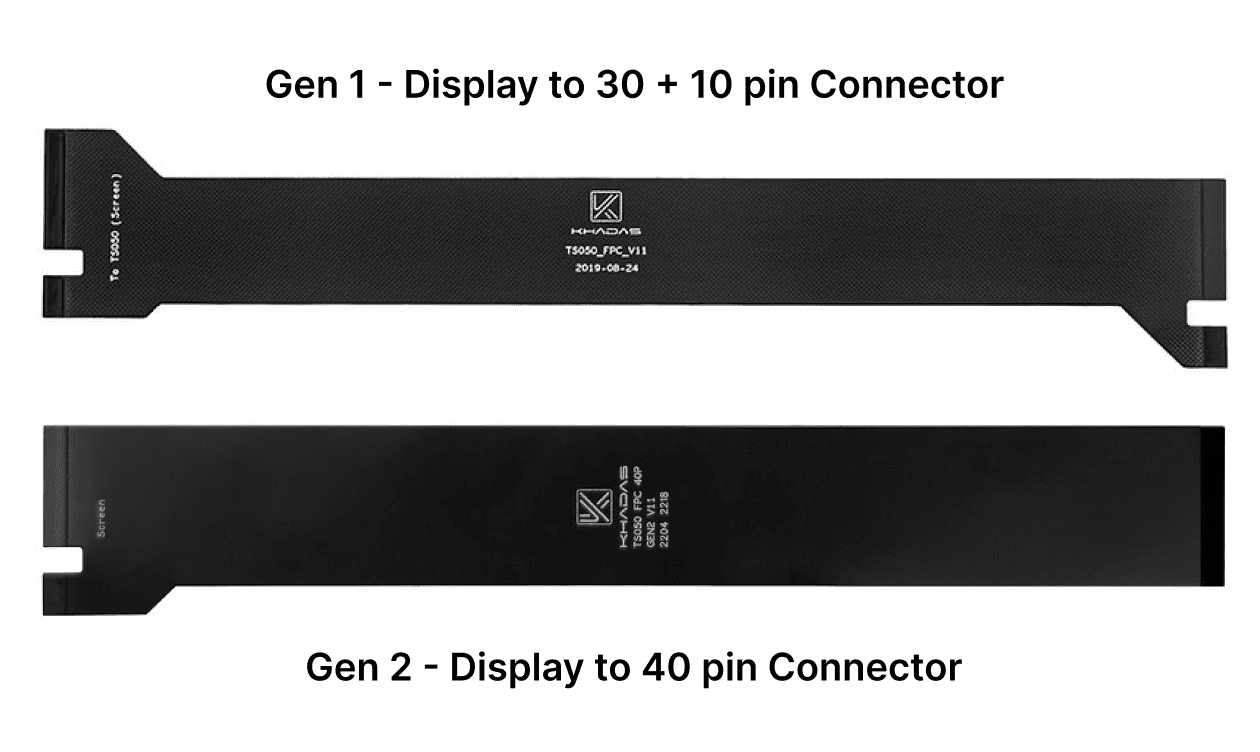
The 30 pins of the old of the 30 + 10 pin FFC cable line up exactly with the 30 pins of the DSI-2 connector on the Edge2, albeit the extra 10 pins hang off the side, which means that particular display won't have a working touch panel.
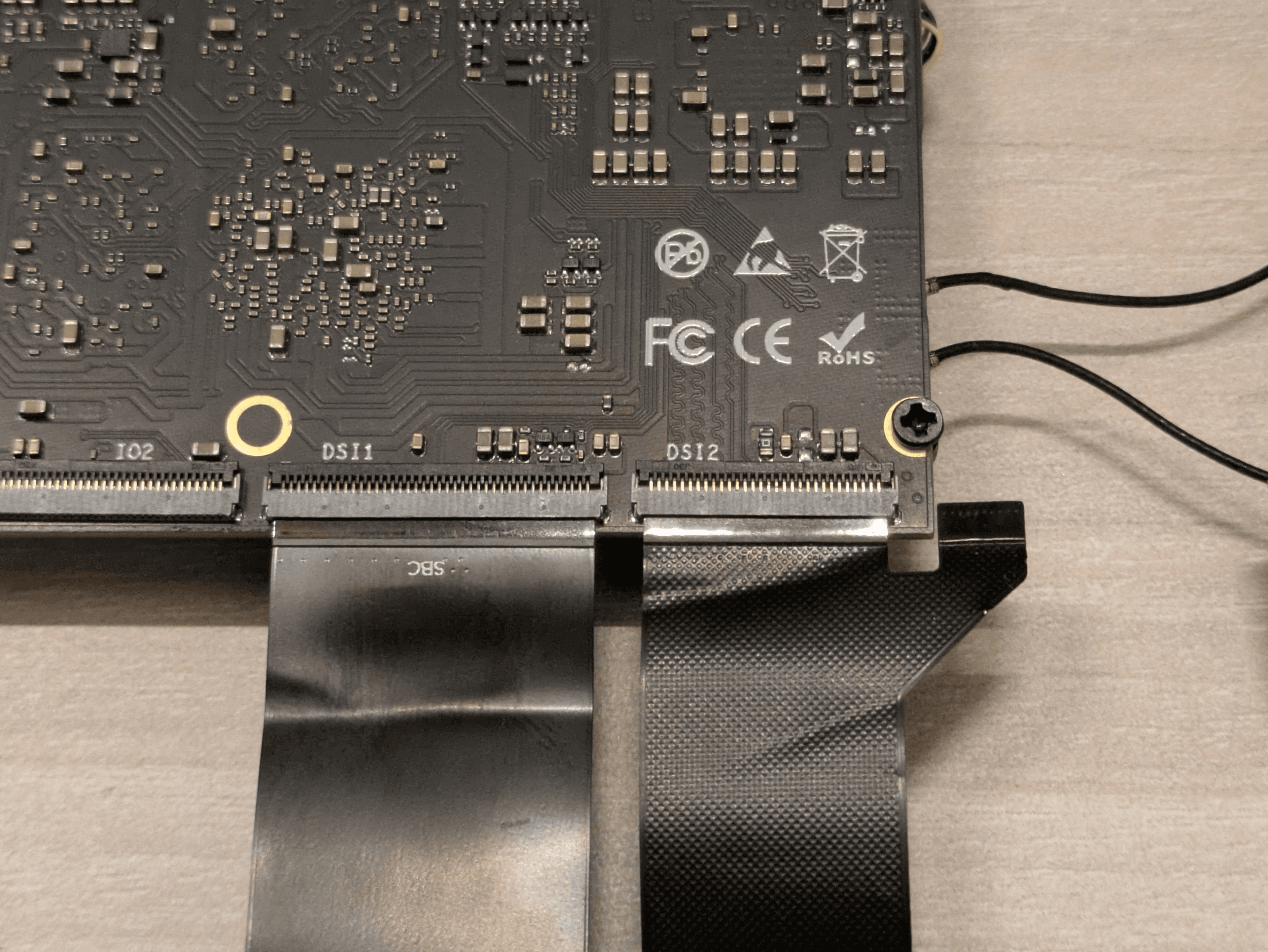
Now this allowed me to electronically attach two TS050 displays to the Edge2, but for it to get recognized by the device itself, it would require a few device-tree modifications.
- Enabling the backlight_mipi1 node for the second display / DSI-1,
- Modifying the combo-phy routing, routing VP2 to DSI-0, and VP3 to DSI-1
- Enabling the DSI-1 node itself and assigning it the previously enabled backlight_mipi1 node.
With these modifications to the device-tree, the kernel identified the second display and was completely operational.
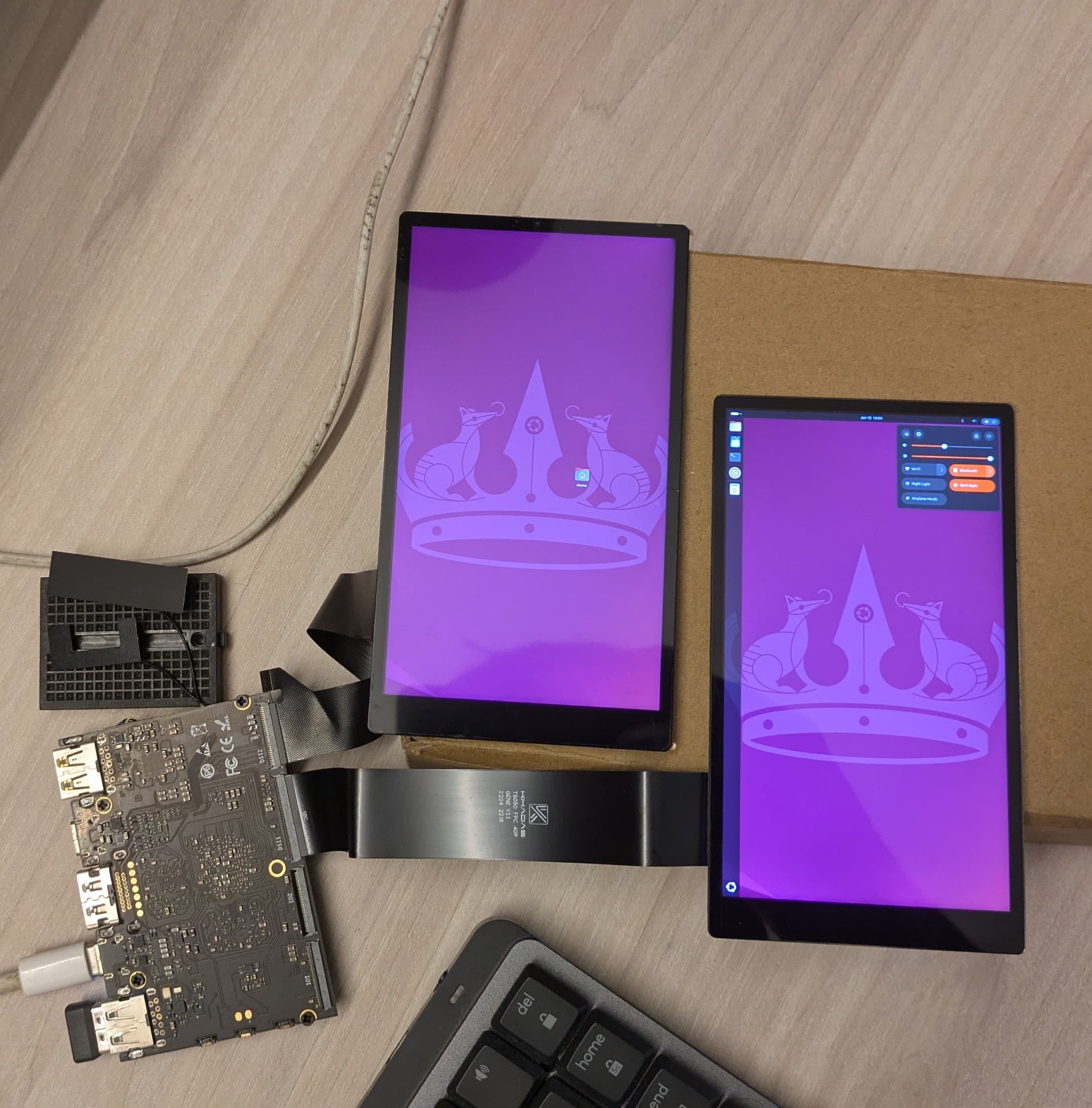
More info about the software modifications to making this all come together is documented on my khadas forum post (opens in a new tab)
Packaging it all into a cyberdeck
Now was when I realised all of this could be neatly packaged into a clamshell-like case which could also be a neat little cyberdeck, so after a little CAD modelling this is what I arrived at
The primary features of the case design are:
- Vents for easier device cooling
- Easy access side-buttons of the Edge2 for power, function, reset.
- Friction-hinge to allow it to hold the upper display in a wide range of positions.
- Desk stand to hold the cyberdeck at an ergonomic viewing angle on your desk.
Assembling the cyberdeck
The CAD model was 3D printed and with the help of some additional components like screws and tape to hold it all together
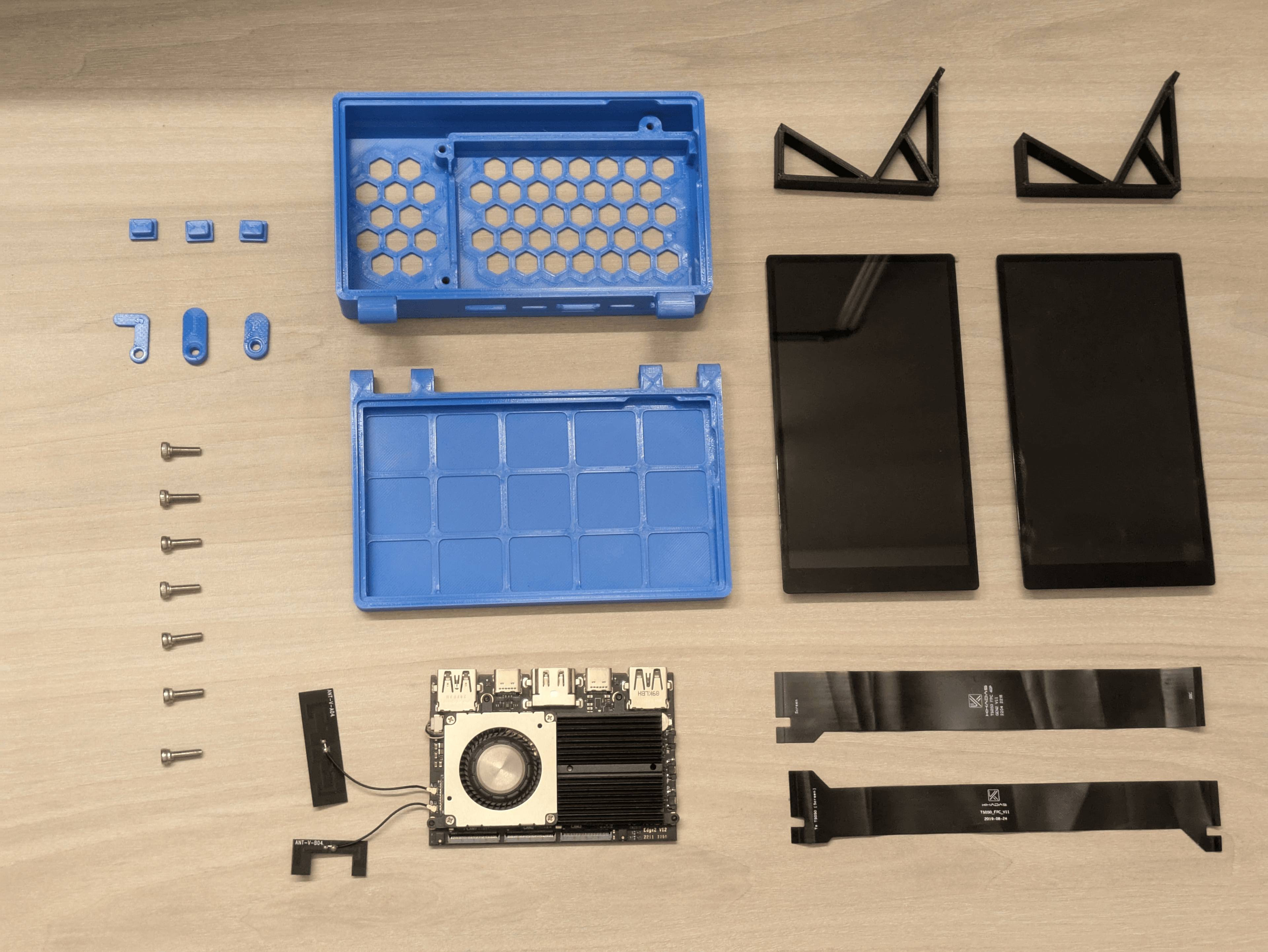
Result
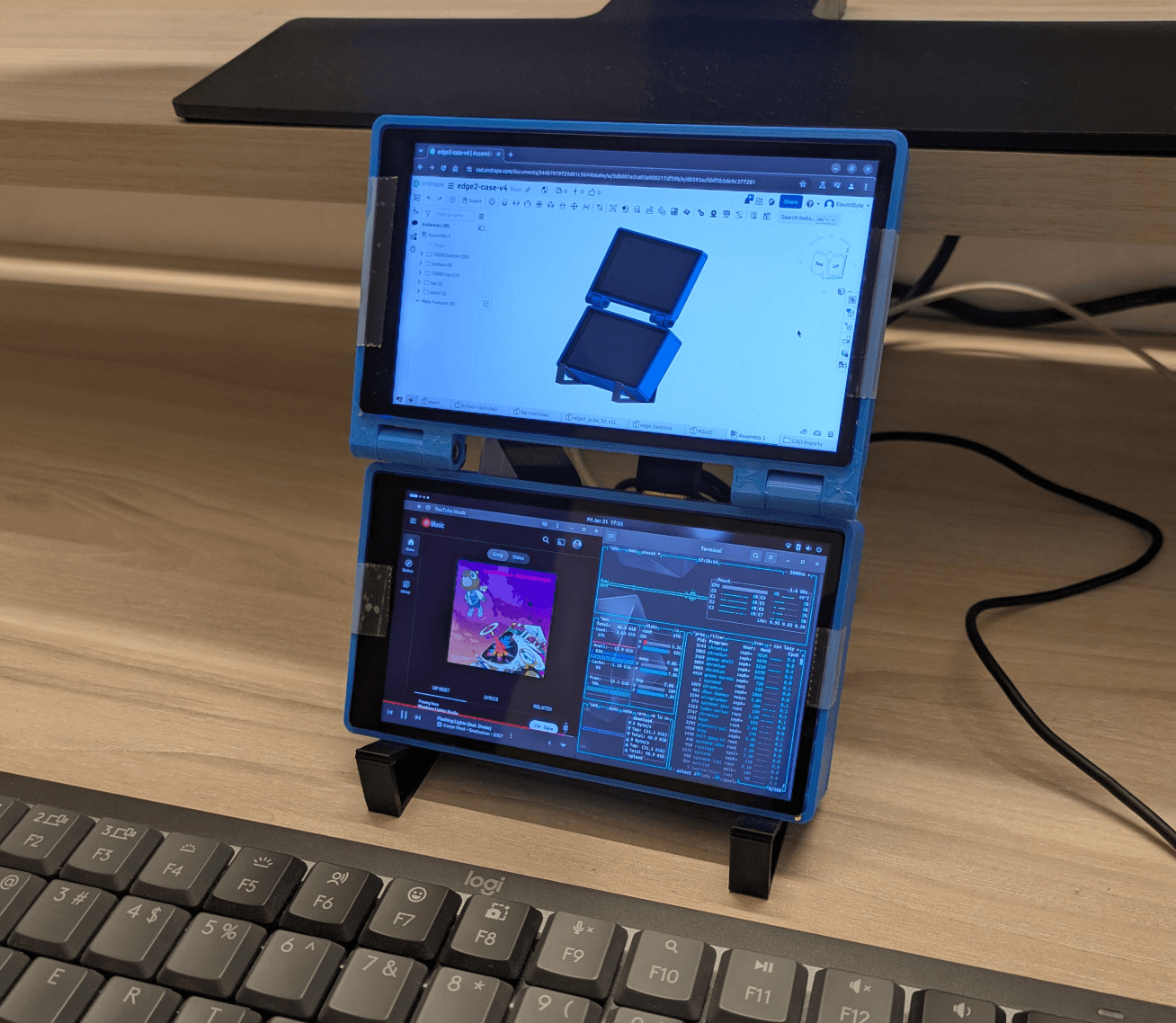
I was very happy with the result and it is definitely a very usable little machine, I used an Edge2 pro which has 16 GB of ram and 64 GB of eMMC and It's very capable of running multiple apps, browser + terminal + more.
The two 5-inch displays does make it look like a workstation for a hamster, or a Nintendo DS so it's definitely not the most comfortable personal computer but it's definitely compact, and packs a decent amount of computational power for everyday work.
For those who want to recreate this cyberdeck:
- I had a writeup about the hardware assembly and software configuration on the khadas forum post (opens in a new tab)
- The 3D printed case files are available on printables